> For the complete documentation index, see [llms.txt](https://ei-docs.keywordrush.com/llms.txt). Markdown versions of documentation pages are available by appending `.md` to page URLs; this page is available as [Markdown](https://ei-docs.keywordrush.com/extracting-products/crawling-services.md).
# Crawling services
Using Crawling / Scraping Services / IP Rotation
External Importer supports multiple crawling services that automatically rotate IP addresses to prevent blocking and rate-limit issues.\
The currently supported services are:
* [Scrapingdog](https://www.keywordrush.com/go/scrapingdog)
* Scrapeowl.com
* [Scraperapi](https://keywordrush.com/go/scraperapi)
* [Bright Data](https://www.keywordrush.com/go/brightdata)
* Crawlbase
* Decodo
{% hint style="warning" %}
These services are paid. See free-tier and pricing details below.
{% endhint %}
### Scraping Service Pricing
| Service | Free Usage | Free Allowance Renews? | Minimum Paid Plan | Pay-as-you-go |
| --------------- | ----------------------: | :--------------------: | ----------------: | :----------------------: |
| **ScraperAPI** | 1,000 credits | ✅ Monthly | $49/month | ❌ |
| **ScrapingDog** | 200 credits | ✅ Monthly | $40/month | ✅ From $10 |
| **ScrapeOwl** | 1,000 credits | ❌ One-time | $29/month | ❌ |
| **Decodo** | 2,000 standard requests | ✅ Monthly | $19/month | ❌ |
| **Crawlbase** | 1,000–5,000 credits | ❌ One-time | $99/month | ✅ $0 monthly fee |
| **Bright Data** | 5,000 requests | ✅ Monthly | $499/month | ✅ $1.50 / 1,000 requests |
**Notes:**
* **ScraperAPI:** Standard requests normally cost 1 credit, but difficult websites may consume more — Amazon specifically uses 5 credits per request.
* **ScrapingDog:** The free plan includes 200 monthly credits. Pay-as-you-go credits can be purchased without a monthly subscription.
* **ScrapeOwl:** 1,000 free credits are provided when you create an account; they do not appear to renew monthly.
* **Decodo:** The free plan provides up to 2,000 standard requests per month. Premium proxies and JavaScript rendering consume the allowance faster.
* **Crawlbase:** New accounts receive 1,000 free credits and can unlock up to 5,000 initial credits. After that, you can continue with pay-as-you-go without a subscription. Only successful requests are billed.
* **Bright Data:** The free tier includes 5,000 requests every month. After the free allowance, Web Unlocker can be used on a pay-as-you-go basis at $1.50 per 1,000 successful requests.
*Pricing and terms can change at any time — always verify current details directly on each provider's website.*
You can view the crawler service used for the last request on the product import page, in the right-hand panel.
### How to Route Requests Through a Scraping Service
#### 1. Add API Keys
1. Open **External Importer → Settings → Extractor**
2. Enter your API keys for the providers you want to use
* **Bright Data** also needs a **zone** name from your Bright Data control panel. Click **Test connection** next to the zone field to check your key and list your account's active zones.
You may enable one or multiple providers at the same time.
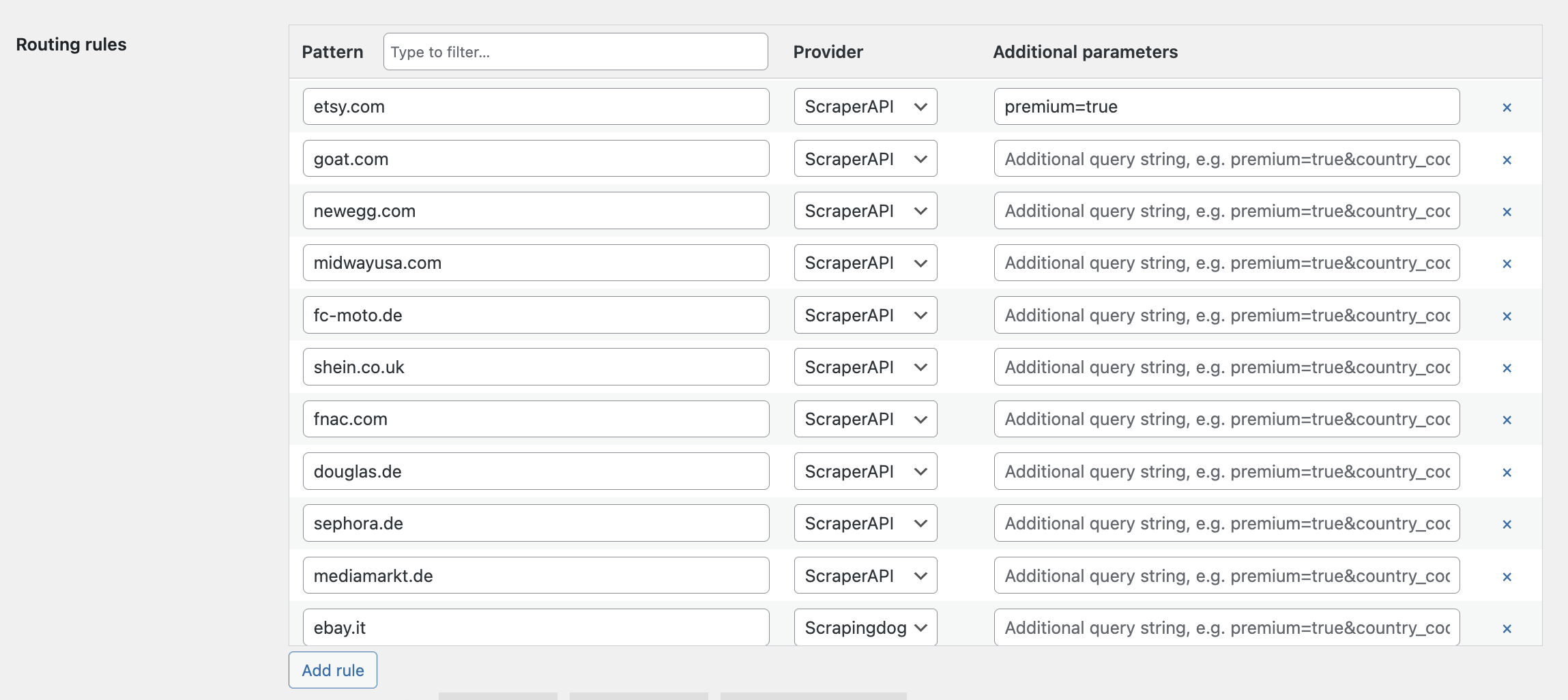
#### 2. Configure Routing Rules
Under the **Routing rules** table:
1. Click **Add rule**
2. Enter a domain or pattern
3. Select the scraping provider
4. (Optional) Add additional parameters for the provider API
#### Pattern Examples
You can use **simple domain names** or advanced patterns:
* `example.com`
* `*.example.com` (any subdomain)
* `example.com/path/*` (match only specific URL paths)
#### Additional Parameters
Additional parameters are appended to the provider API request.\
Each provider uses its **own parameter names** and accepted values.
**ScraperAPI Parameters**
* `country_code=us` — Geotargeting
* `premium=true` — Premium residential/mobile IPs
* `ultra_premium=true` — Advanced bypass mechanism
* `render=true` — JavaScript rendering
**Scrapingdog Parameters**
* `country=de` — Geotargeting
* `premium=true` — Premium residential proxies
* `dynamic=true` — JavaScript rendering
**Combining Parameters**
Multiple parameters can be joined using `&`:
```
country_code=us&premium=true&render=true
```
### Rule Priority
Routing rules are evaluated **from top to bottom**.\
The **first rule that matches** a URL is selected, and the chosen provider will handle the request.